
EdTech · Marketplace · Multi-role
MentorMe
One lesson, four people.
- Role
- Design lead, team of three
- For
- MentorMe, 2025, six weeks
- Designed for
- Students, parents, tutors, admins
- Status
- Handed over; not launched
- 4
- Roles around every lesson: student, parent, tutor and admin
- 16
- Objects, mapped before any screen was designed
- 6wks
- From brief to handover, with a team of three designers
The problem
Home lessons, online, with four people in the room.
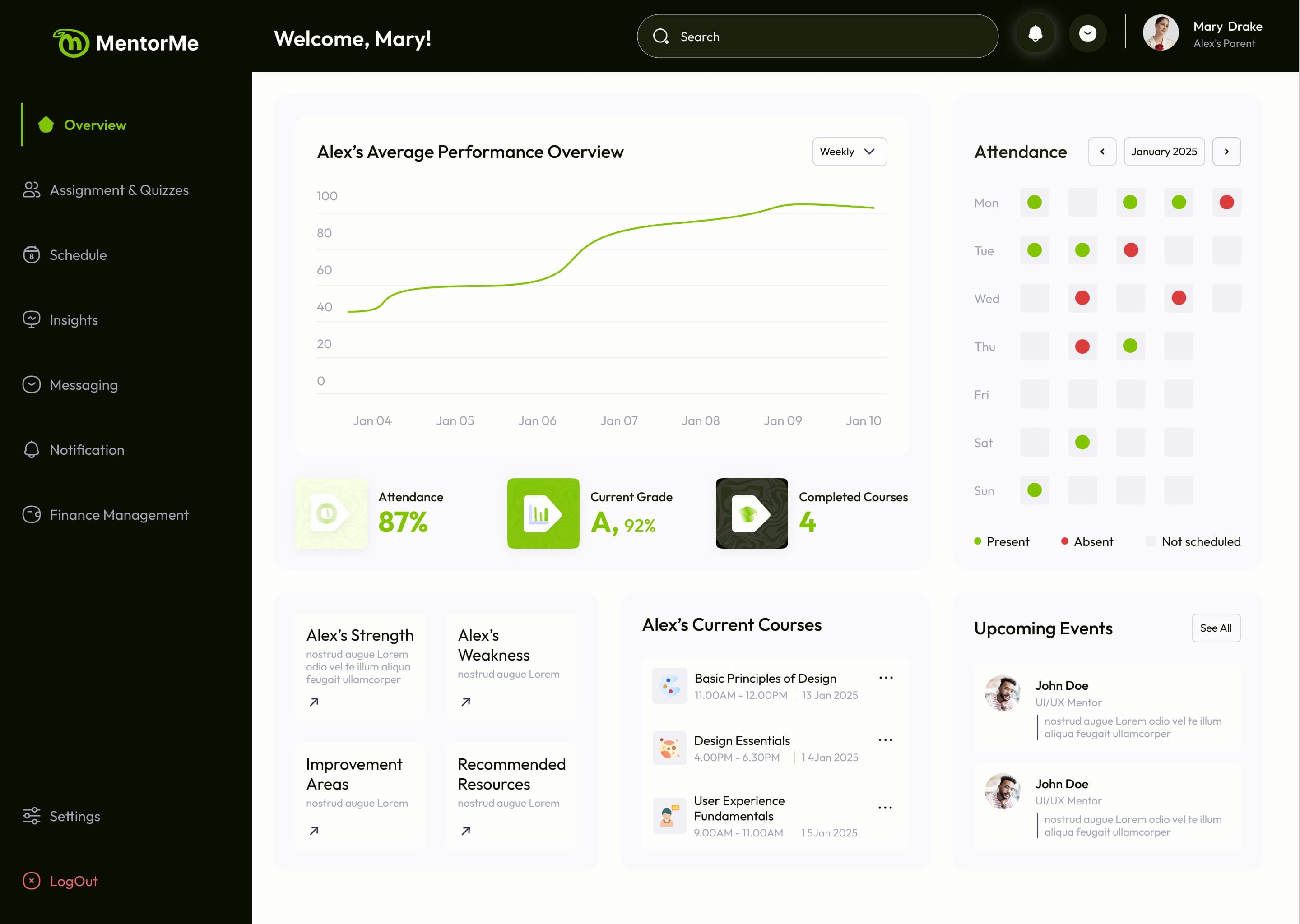
A tutor teaches a student one course, at times they agree, and the parent who pays wants to see it working. That's four people around one lesson: the student learning, the tutor teaching and getting paid, the parent paying and watching progress, and an admin keeping it running. Each needed their own view of the same student, course, session and invoice, without it becoming four products.
We talked to parents and tutors before designing.
One lesson, four views
Follow a lesson. Switch who's looking.
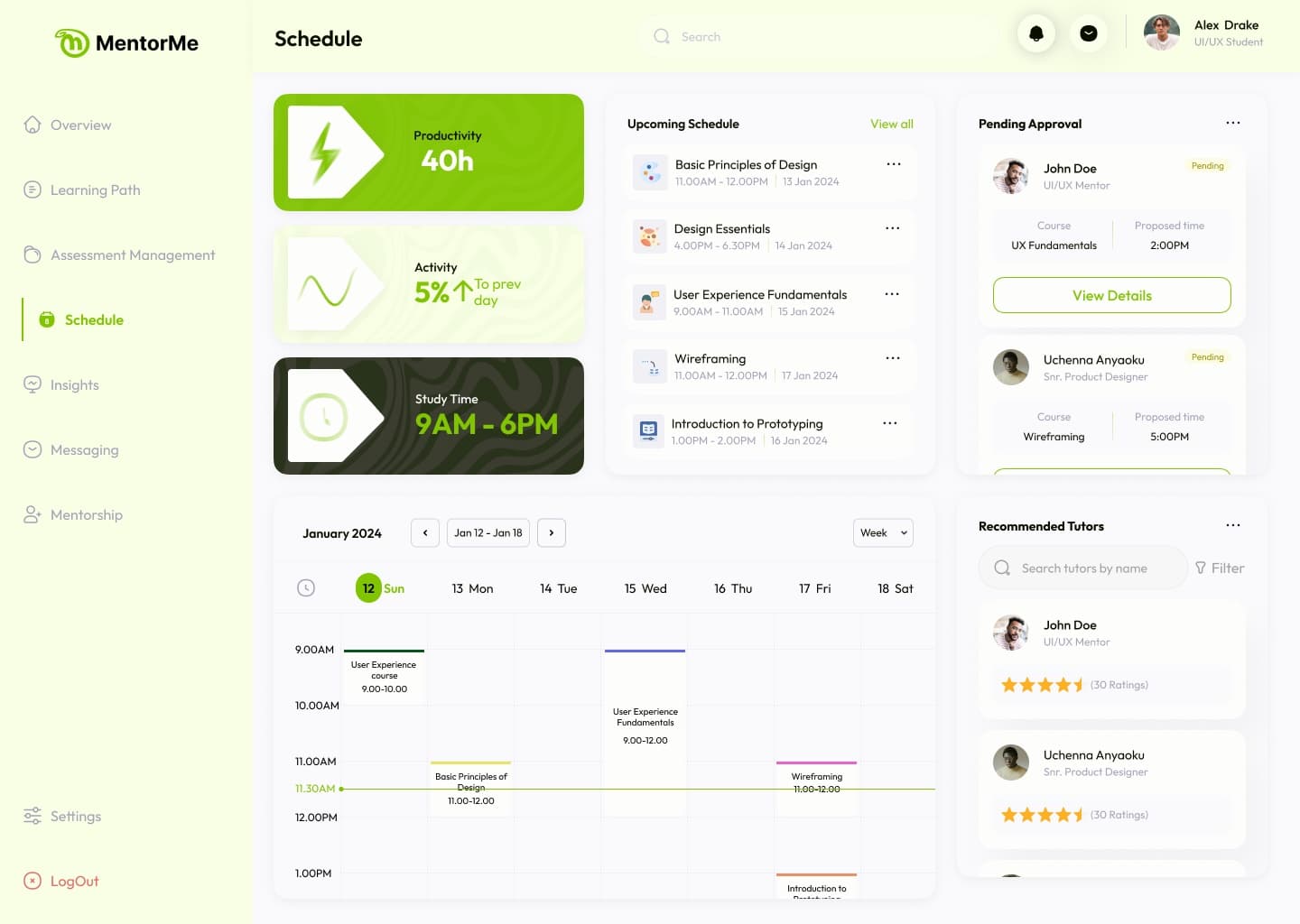
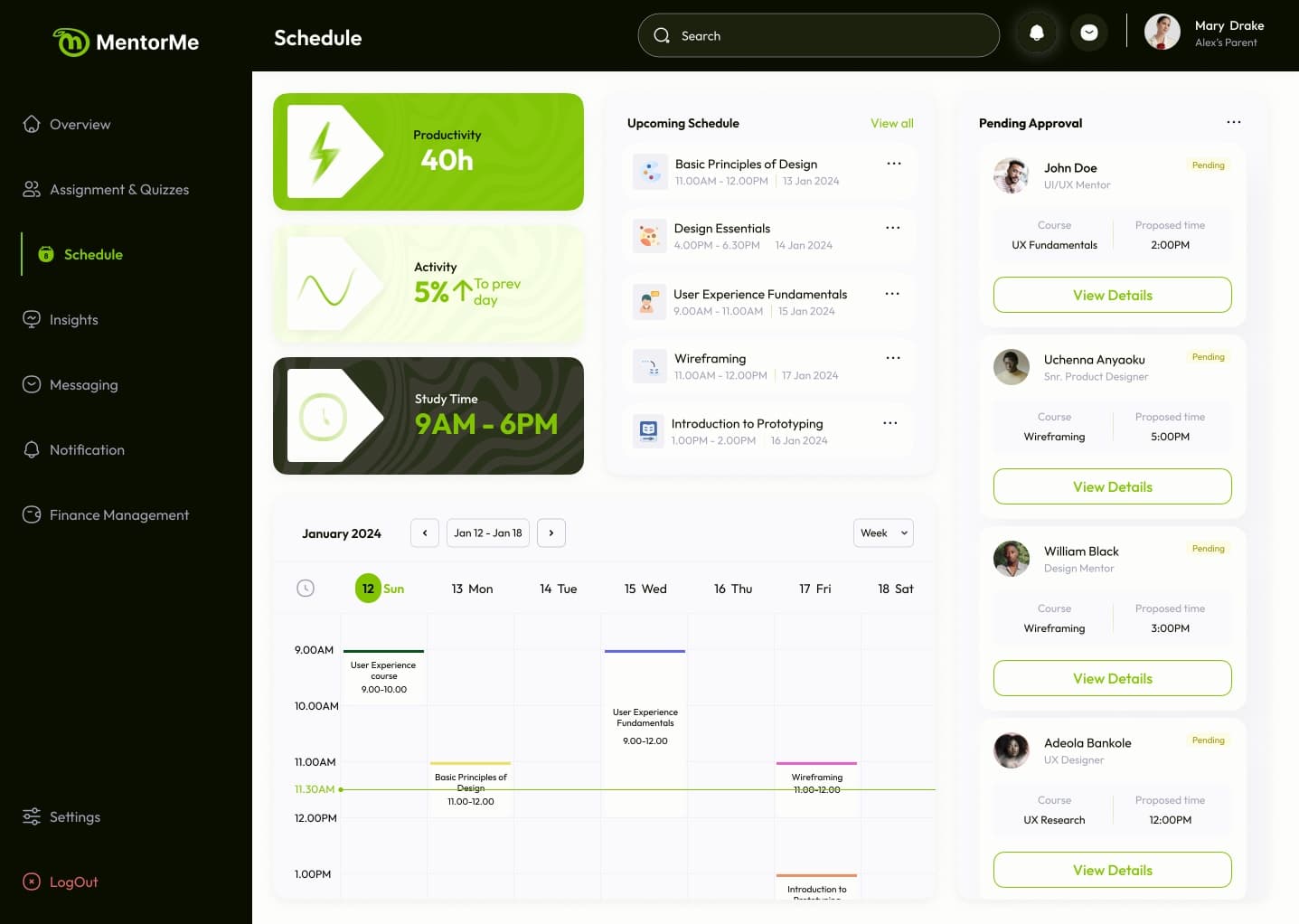
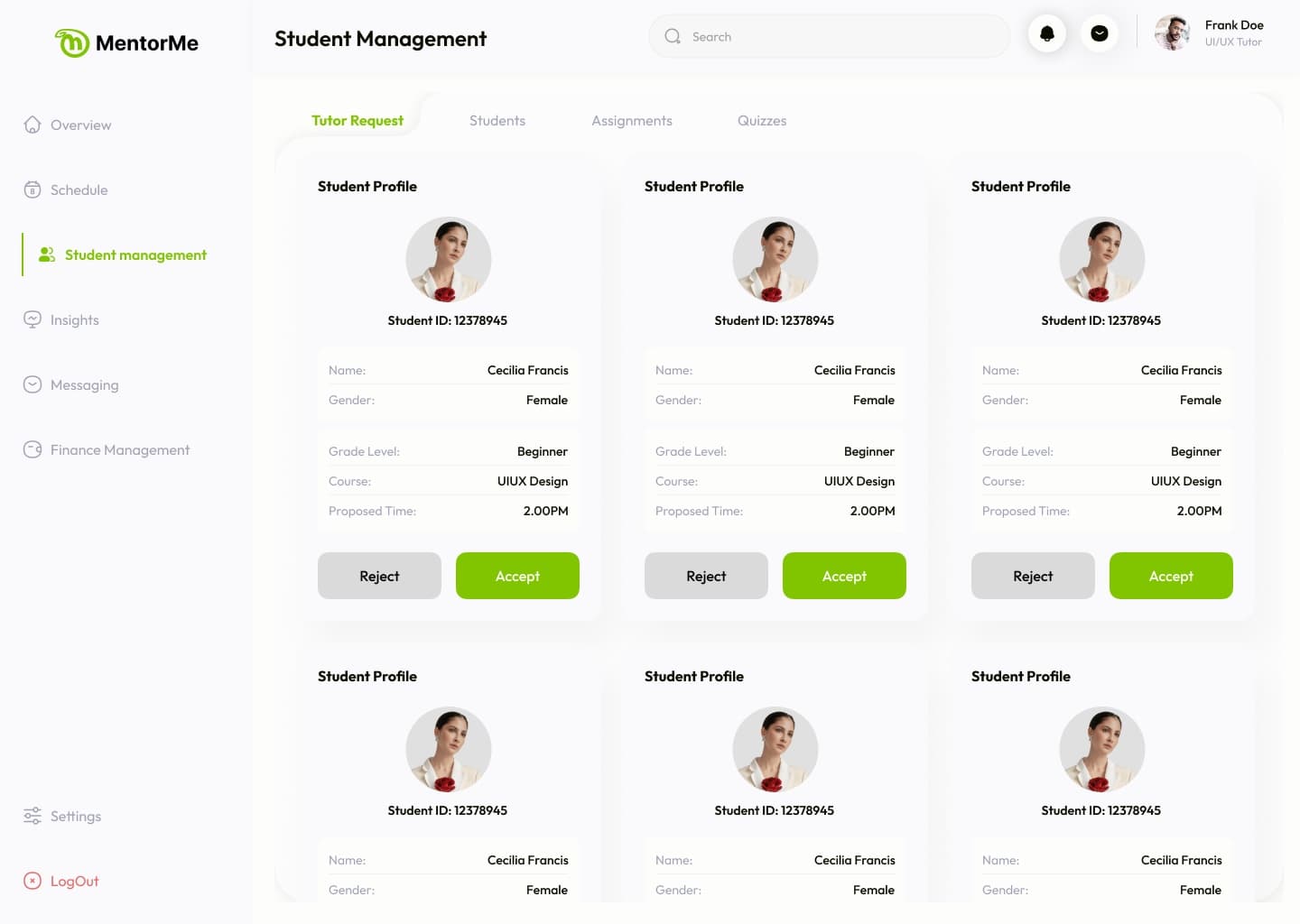
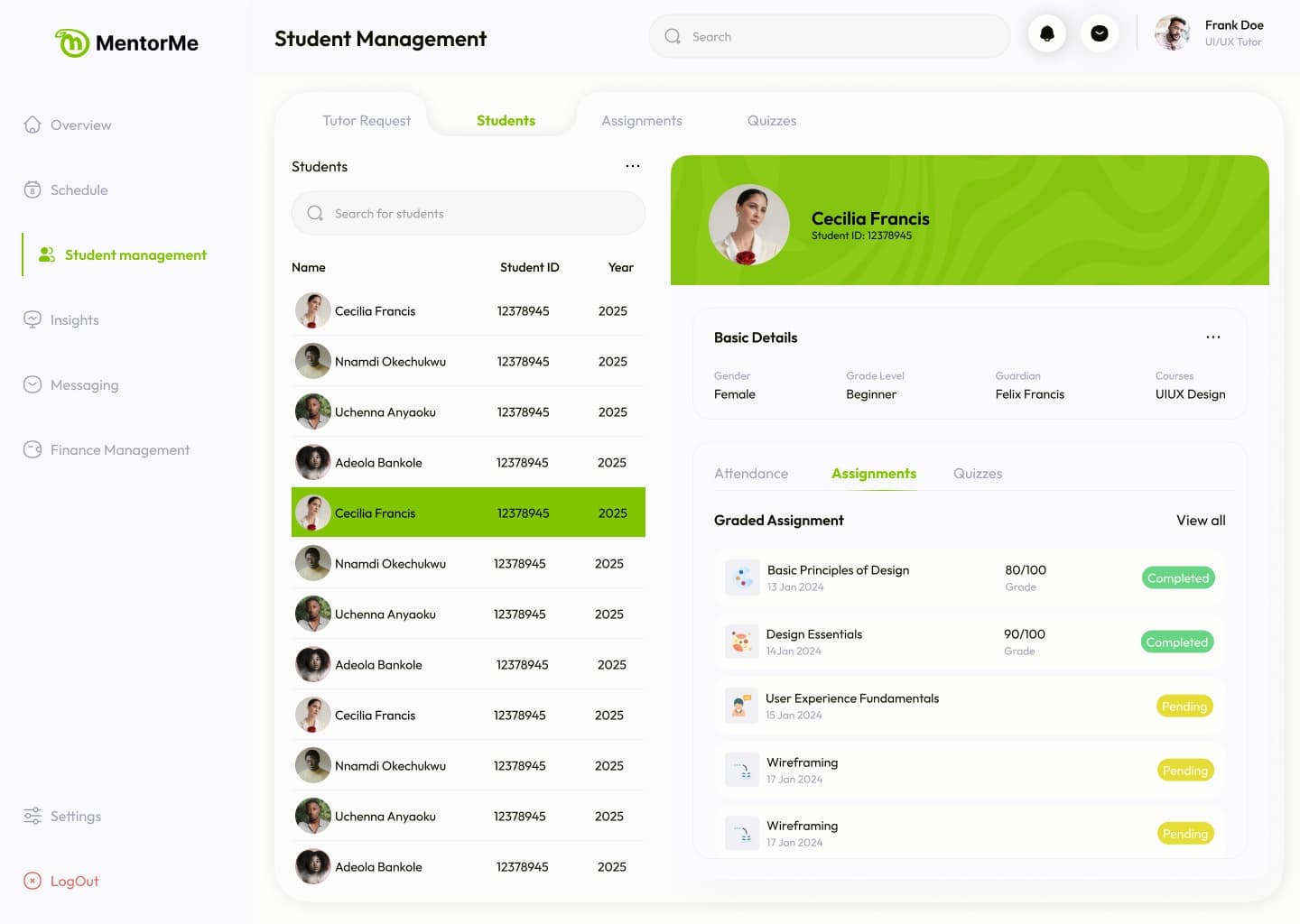
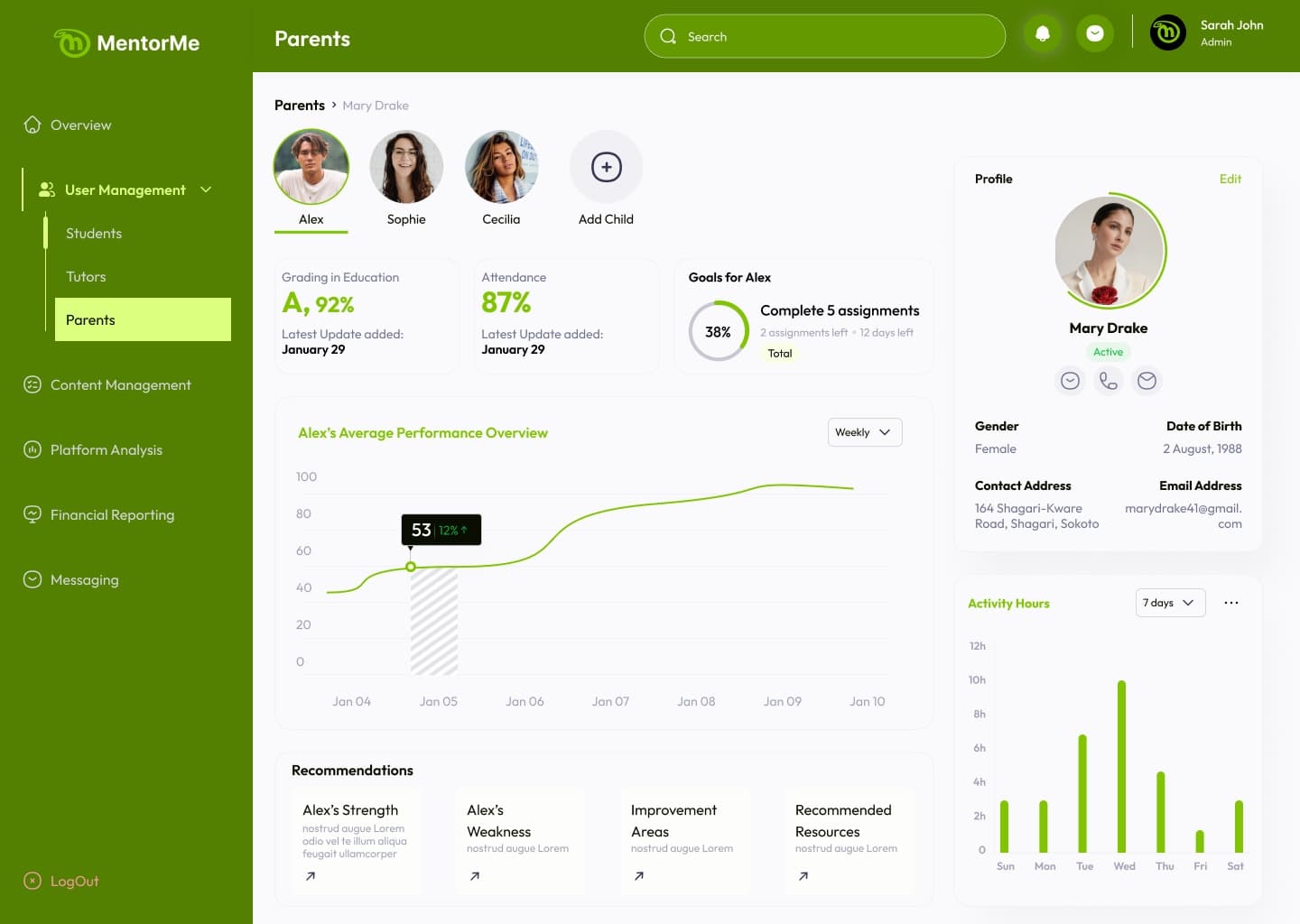
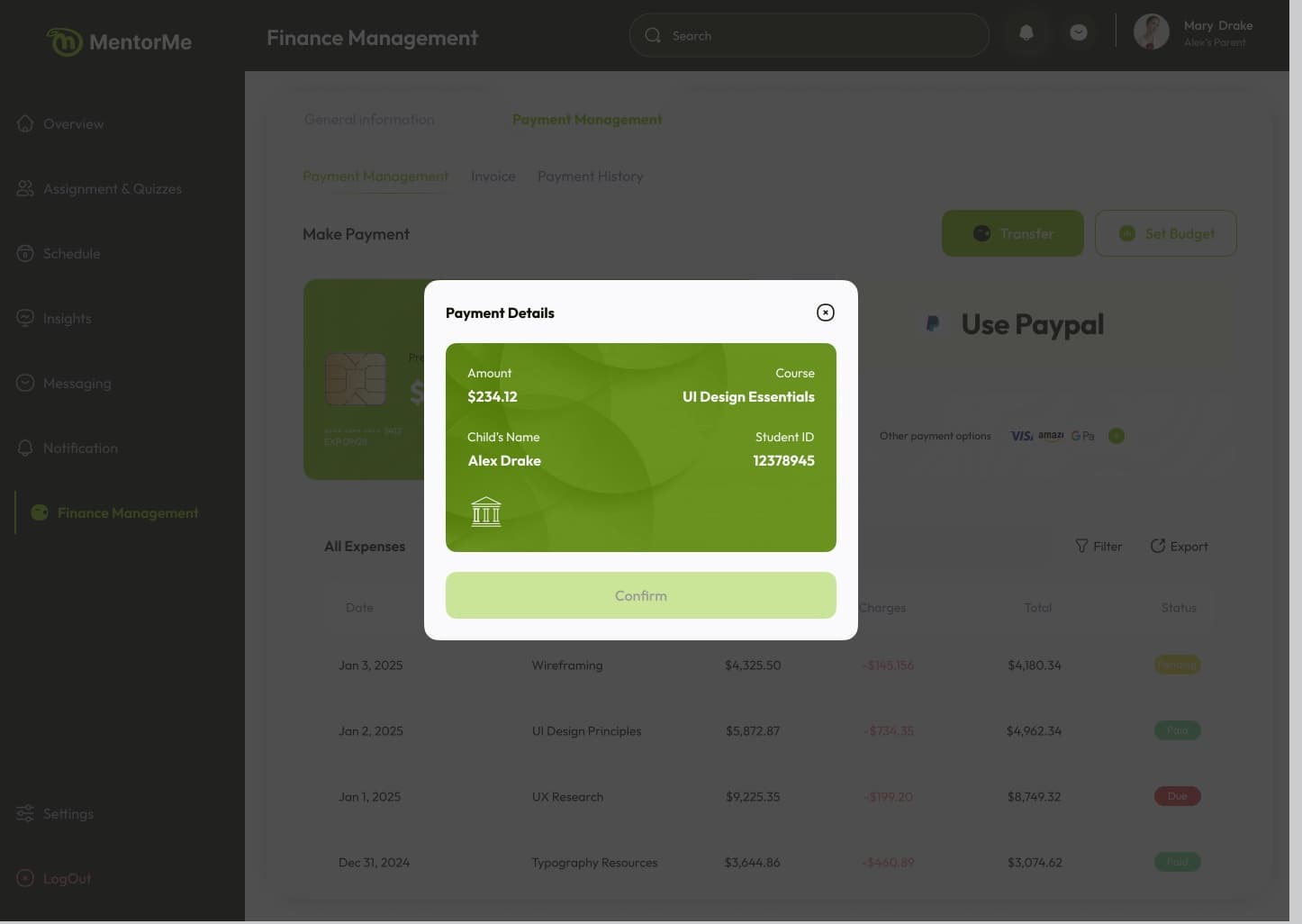
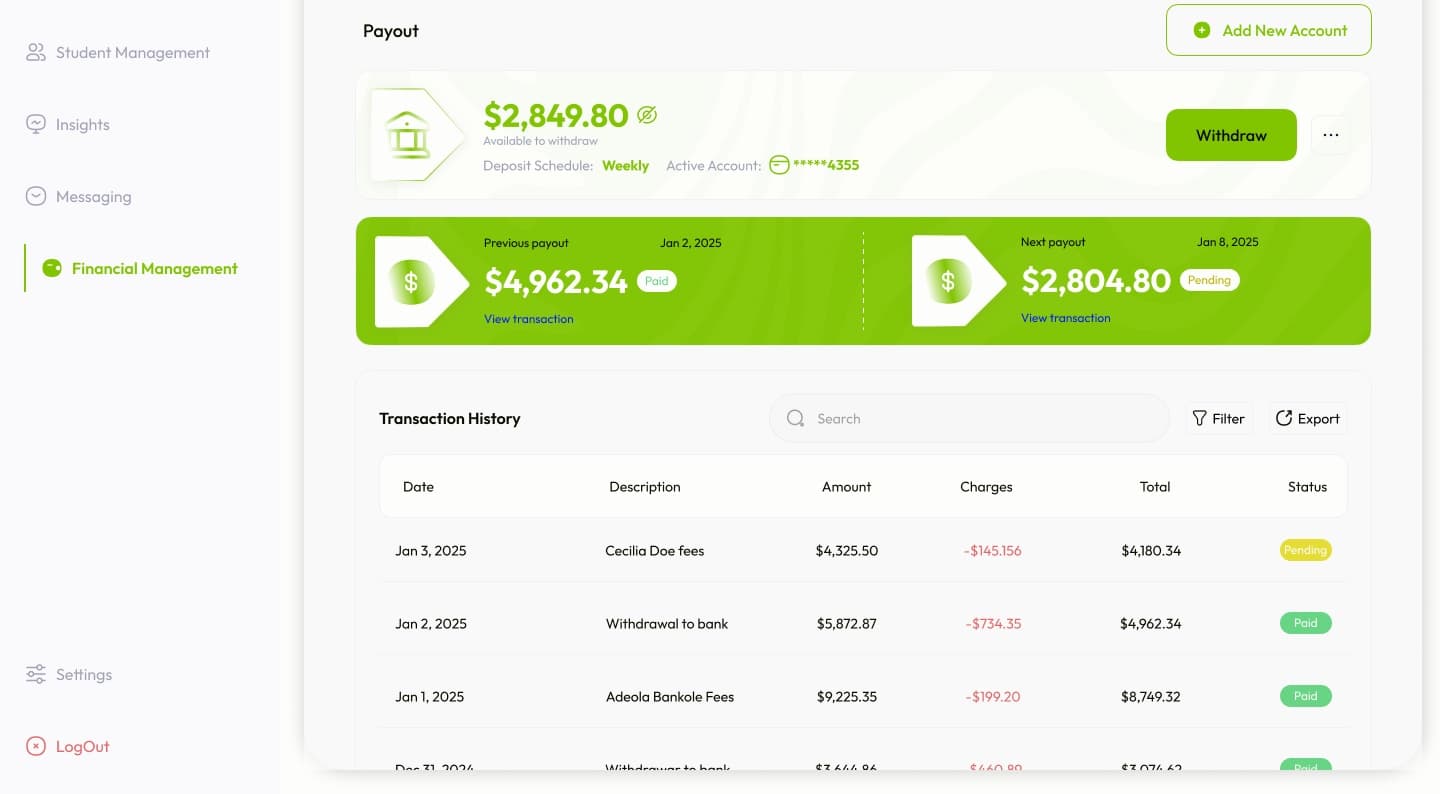
Pick a stage, then a role. Every screen is from the designs.
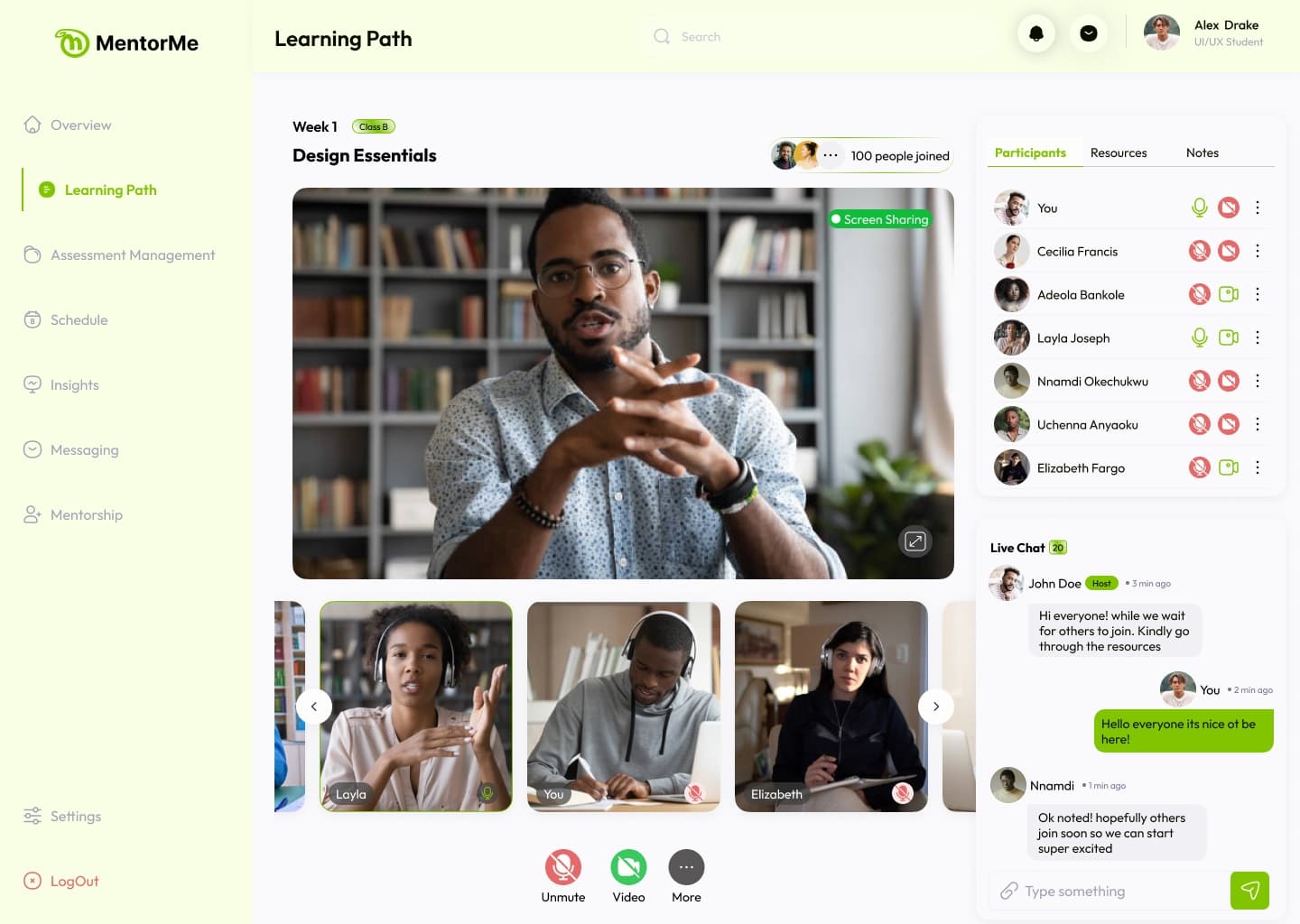
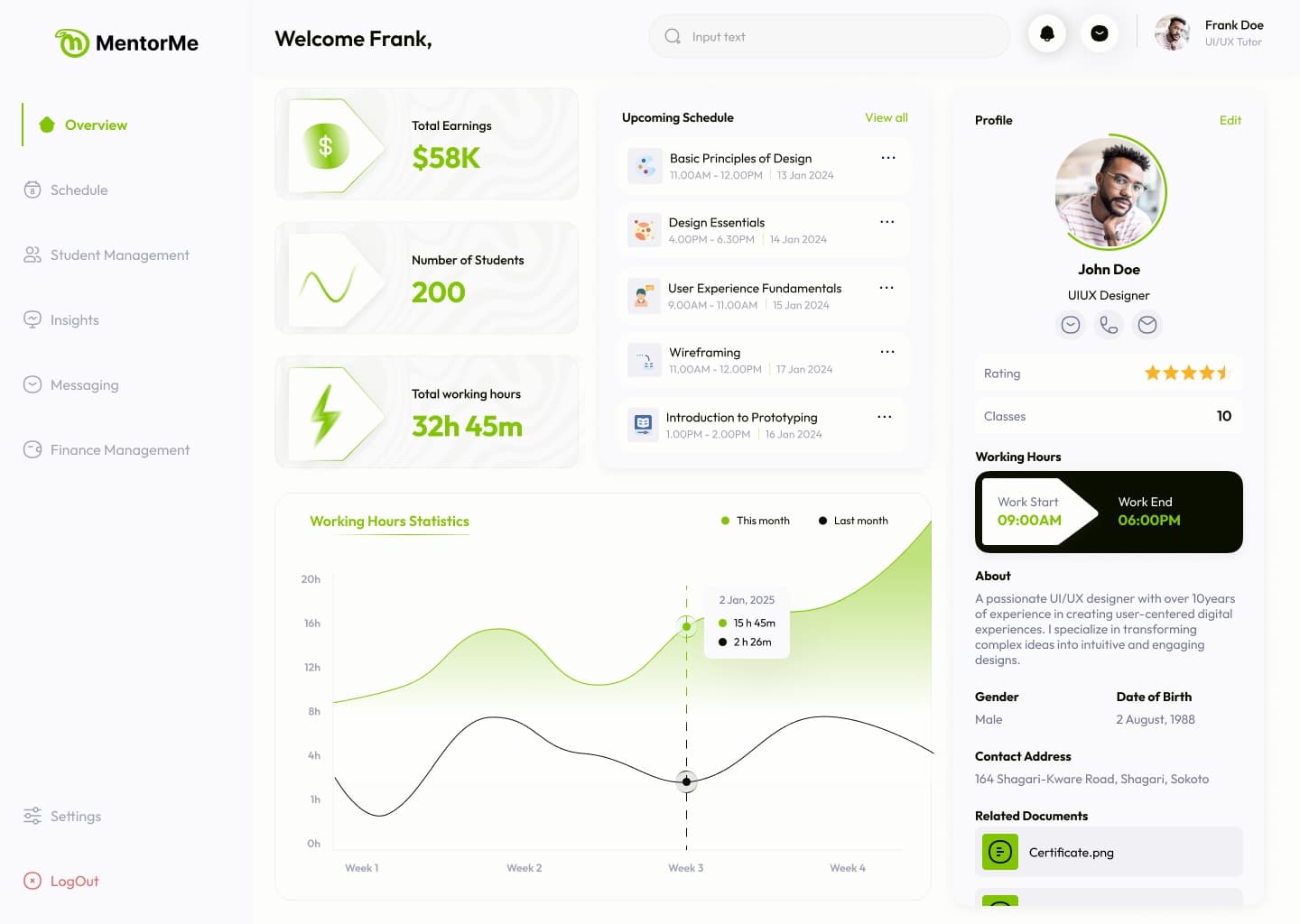
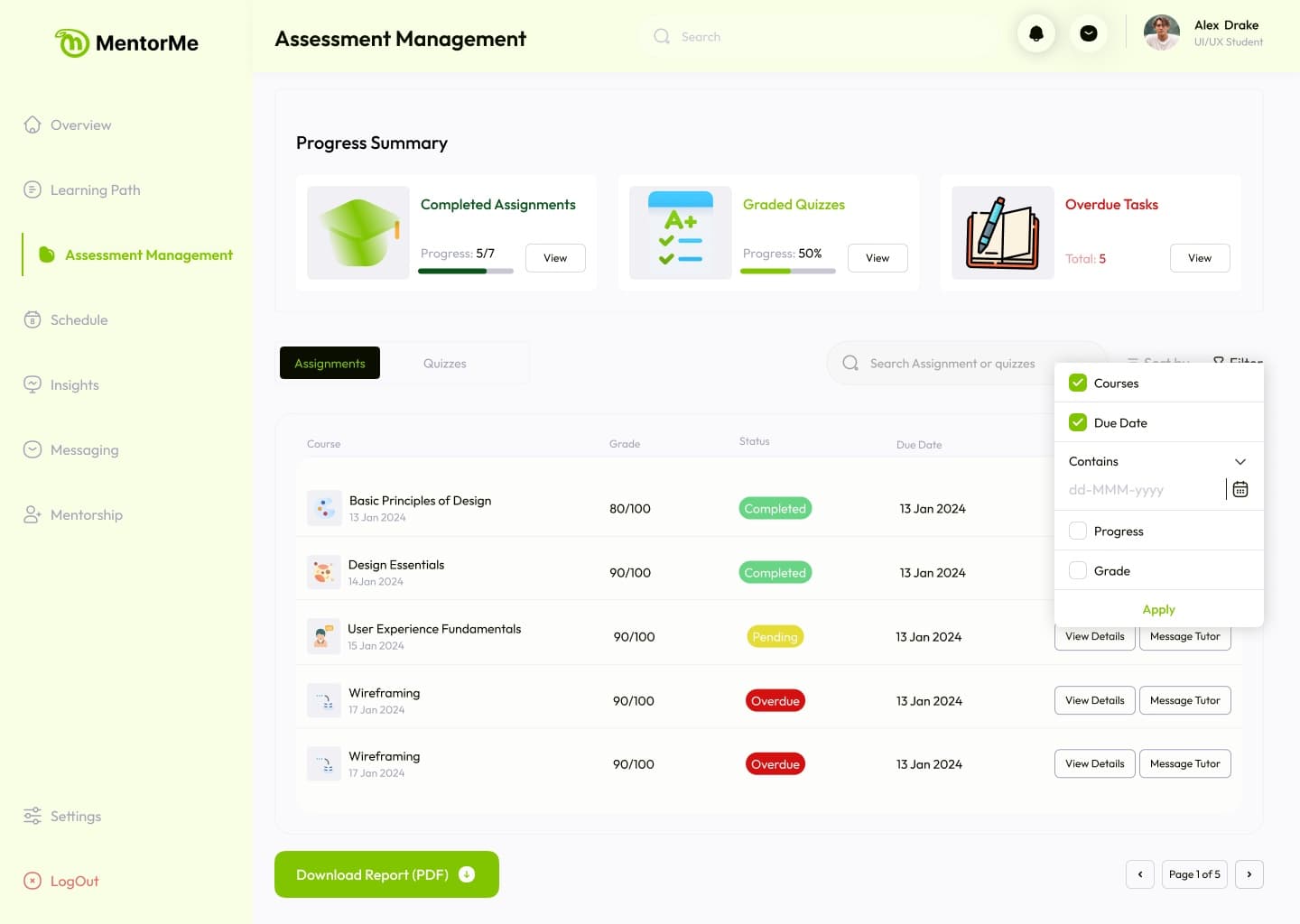
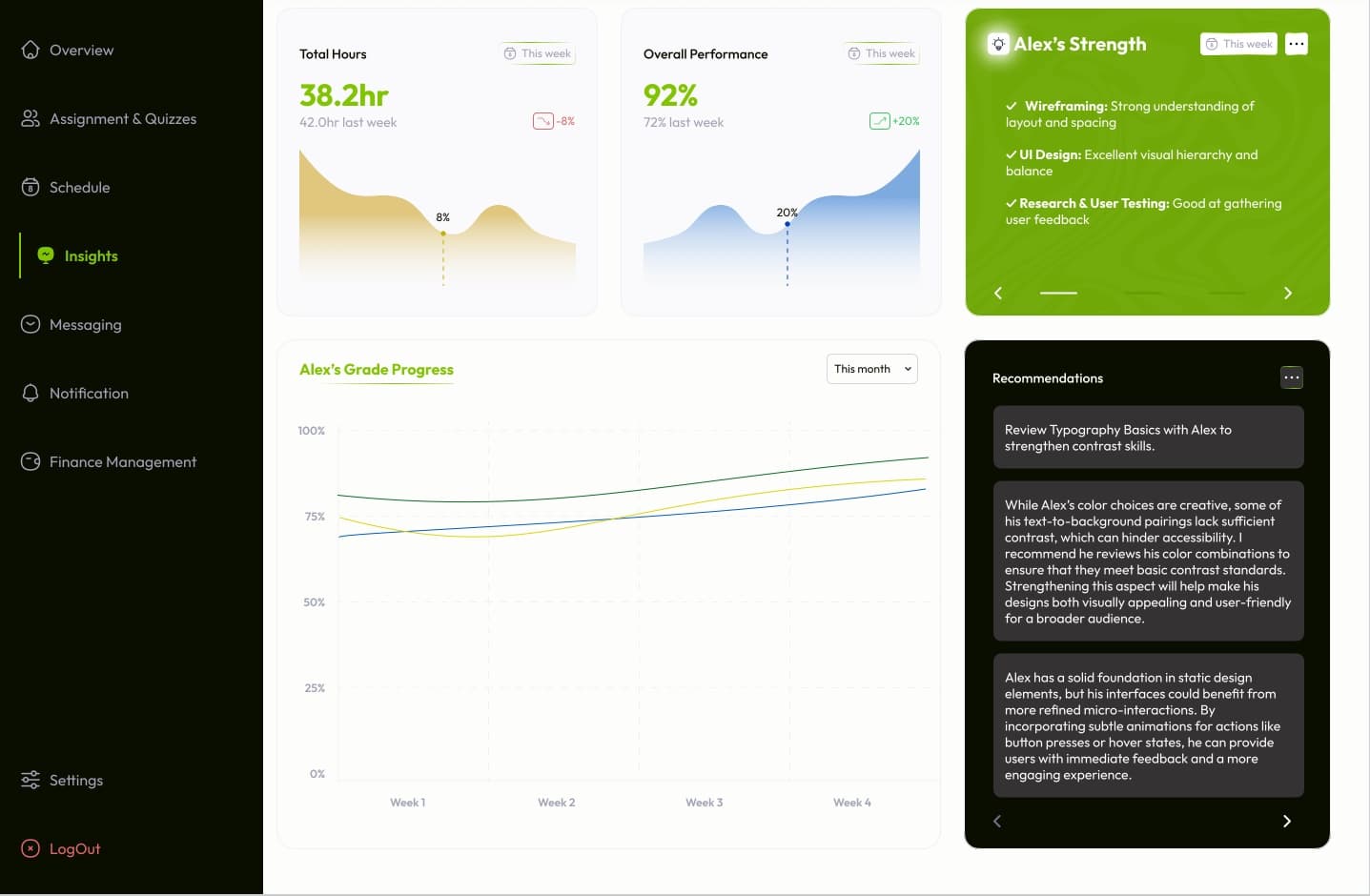
| Stu | Par | Tut | Adm | |
|---|---|---|---|---|
| Request | ||||
| Class | ||||
| Progress | ||||
| Payment |
Each dot is a real screen. Pick one to open it.
The object map
16 objects, with the student at the centre.
We mapped MentorMe's objects before designing any screen: what each holds, its states, how they connect and what each role can do. The board is redrawn from the final designs.
- Student
- Parent
- Tutor
- Course
- Request
- Session
- Assignment
- Quiz
- Insight
- Goal
- Resource
- Conversation
- Notification
- Invoice
- Payment
- Payout
Decisions
Four choices that kept it one product.
A request before a class
- Chose
- The student proposes a course and a time. The tutor accepts or rejects. Until then it shows as Pending Approval to the student and the parent.
- Why
- Tutors teach in set hours, and a parent should see who their child asked for before a lesson is booked or paid for.
One student, a view per role
- Chose
- The same student record, shown differently: grade level, guardian and graded work for the tutor; attendance and progress for the parent.
- Why
- Each role needs a different answer from the same child.
Payment names the child
- Chose
- Every payment shows the amount, the course, the child's name and student ID before it's confirmed.
- Why
- A parent paying from abroad, maybe for more than one child, should know exactly what each payment covers.
The lesson happens inside
- Chose
- Live classes with participants, chat, resources and notes, plus one-to-one and group messages and calls.
- Why
- Lessons, questions and materials stay where the tutor and the parent can see them.
What happened
Designed in six weeks and handed to MentorMe.
MentorMe hasn't launched, so there are no numbers yet.